


Printing greeting cards at home is a question that many people interested in DIY projects or looking for a personalized touch often ask. As a professional greeting card printing supplier, I'm here to share insights on whether it's feasible to print greeting cards at home and how to go about it.
Can You Print Greeting Cards at Home?
The short answer is yes, you can print greeting cards at home. With the advancement of technology, home printers have become more sophisticated, and the quality of home - printed materials has significantly improved. However, there are several factors to consider before deciding to embark on this DIY journey.
Equipment
A good quality printer is the cornerstone of home greeting card printing. Inkjet printers are a popular choice as they can produce vibrant colors and high - resolution prints. Laser printers, on the other hand, are known for their fast printing speed and sharp text. When choosing a printer, look for one with a high DPI (dots per inch) rating, as this will ensure clear and detailed images on your greeting cards. For example, a printer with a DPI of 1200x1200 or higher will yield better results.
Paper
The type of paper you use is crucial. Greeting cards typically require thick, high - quality paper to give them a professional look and feel. Cardstock is an excellent option as it is thicker and more durable than regular printer paper. You can find cardstock in various weights, usually measured in pounds (lb) or grams per square meter (gsm). For greeting cards, a cardstock weight of 80 - 110 lb (216 - 300 gsm) is recommended. Additionally, consider the finish of the paper. Glossy paper will give your cards a shiny, vibrant look, while matte paper provides a more subdued and elegant appearance.

Design Software
To create eye - catching greeting cards, you need suitable design software. If you're a beginner, software like Microsoft Word or Google Docs can be used to create simple designs. They offer basic text formatting and image - insertion tools. For more advanced designs, Adobe Photoshop and Illustrator are industry - standard software. These programs allow you to manipulate images, add special effects, and create complex layouts. There are also online design tools such as Canva, which provide user - friendly interfaces and pre - made templates for greeting cards.
How to Print Greeting Cards at Home
Step 1: Design Your Card
- Conceptualize Your Design: Think about the occasion, the recipient, and the message you want to convey. For example, if it's a birthday card, you might want to include birthday - related images like balloons, cakes, or candles.
- Choose a Template or Create from Scratch: If you're using design software like Canva, you can browse through their extensive library of greeting card templates and customize them according to your needs. If you're using Adobe Photoshop or Illustrator, you can start with a blank canvas and create a unique design.
- Add Text and Images: Insert your chosen images and add the appropriate text. Make sure the text is legible and the images are of high quality. Adjust the size, color, and position of the elements to create a balanced composition.
Step 2: Prepare Your Printer and Paper
- Load the Paper: Follow the printer's instructions to load the cardstock into the paper tray. Make sure the paper is loaded correctly to avoid jams and ensure proper printing.
- Set the Printer Settings: Select the appropriate paper type and quality settings on your printer. For cardstock, choose the "Cardstock" or "Heavy Paper" option. Select a high - quality print setting to ensure the best results.
Step 3: Print a Test Page
Before printing your final greeting card, it's a good idea to print a test page on regular paper. This allows you to check the alignment, color accuracy, and overall appearance of your design. Make any necessary adjustments to your design or printer settings based on the test page results.
Step 4: Print Your Greeting Card
Once you're satisfied with the test page, it's time to print your greeting card on the cardstock. Place the cardstock in the printer and start the printing process. Be patient and let the printer complete the job. After printing, allow the card to dry for a few minutes to prevent smudging.
Step 5: Finishing Touches
- Cut and Fold: Use a sharp pair of scissors or a paper cutter to trim the edges of your greeting card. If you're making a folded greeting card, carefully fold it along the designated line.
- Add Embellishments: You can enhance the look of your greeting card by adding embellishments such as stickers, ribbons, or glitter. These little details can make your card stand out.
Advantages and Disadvantages of Home Printing
Advantages
- Personalization: Home printing allows you to create truly unique greeting cards tailored to the recipient's preferences. You can add personal photos, inside jokes, or heartfelt messages.
- Cost - Effective for Small Quantities: If you only need to print a few greeting cards, home printing can be a cost - effective option. You don't have to pay for the setup fees and minimum order quantities associated with professional printing services.
Disadvantages
- Limited Quality: While home printers have improved, they may not be able to match the high - quality output of professional printing equipment. Professional printers use advanced printing techniques and inks that can produce more vibrant colors and sharper images.
- Time - Consuming: Designing, printing, and finishing greeting cards at home can be a time - consuming process, especially if you need to print multiple cards.
Why Choose a Professional Greeting Card Printing Supplier?
As a greeting card printing supplier, we offer several benefits that home printing may not be able to provide.
High - Quality Printing
We use state - of - the - art printing equipment and high - quality inks to ensure that your greeting cards have a professional finish. Our printers can handle large - scale production without compromising on quality. Whether you need a single card or a large batch, we can deliver consistent, high - quality results.
Wide Range of Options
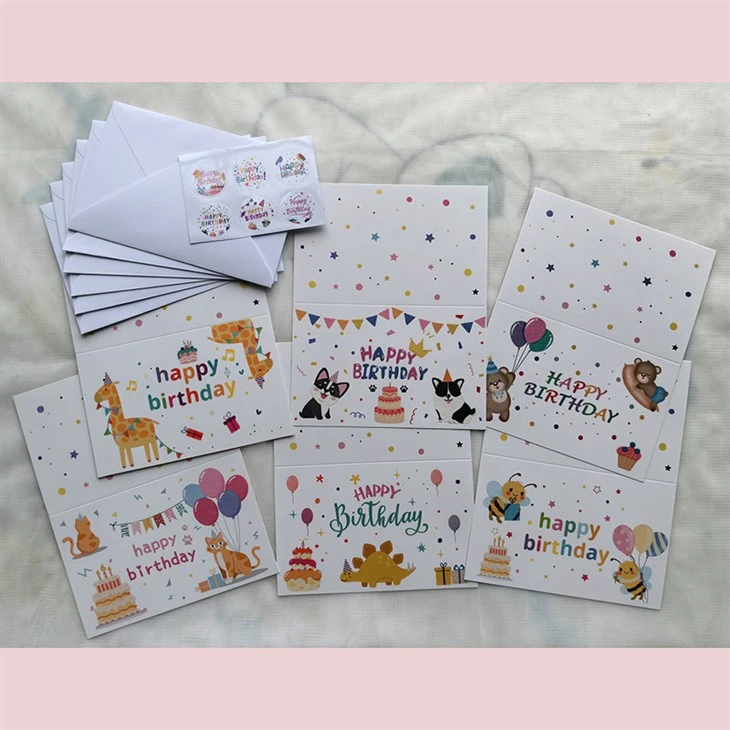
We offer a variety of printing options, including Folded Greeting Cards Printing, Greeting Cards with Envelopes Printing, and Custom Birthday Card Printing. You can choose from different paper types, sizes, finishes, and printing techniques to create the perfect greeting card for your needs.
Time - Saving
By choosing a professional printing supplier, you save time. We have the expertise and resources to handle the entire printing process, from design to delivery. You don't have to worry about setting up your printer, finding the right paper, or spending hours on design. We take care of everything, allowing you to focus on other important aspects of your life.
Contact Us for Your Greeting Card Printing Needs
If you're interested in high - quality greeting card printing services, we'd love to hear from you. Whether you have a specific design in mind or need help creating one, our team of experts is here to assist you. We offer competitive prices, fast turnaround times, and excellent customer service. Contact us today to discuss your requirements and get a quote for your greeting card printing project.
References
- "The Complete Guide to Printing at Home", Printer Manufacturers Association
- "Paper Selection for Printing Projects", Paper Industry Journal
- "Design Software for Beginners", Design Magazine


